
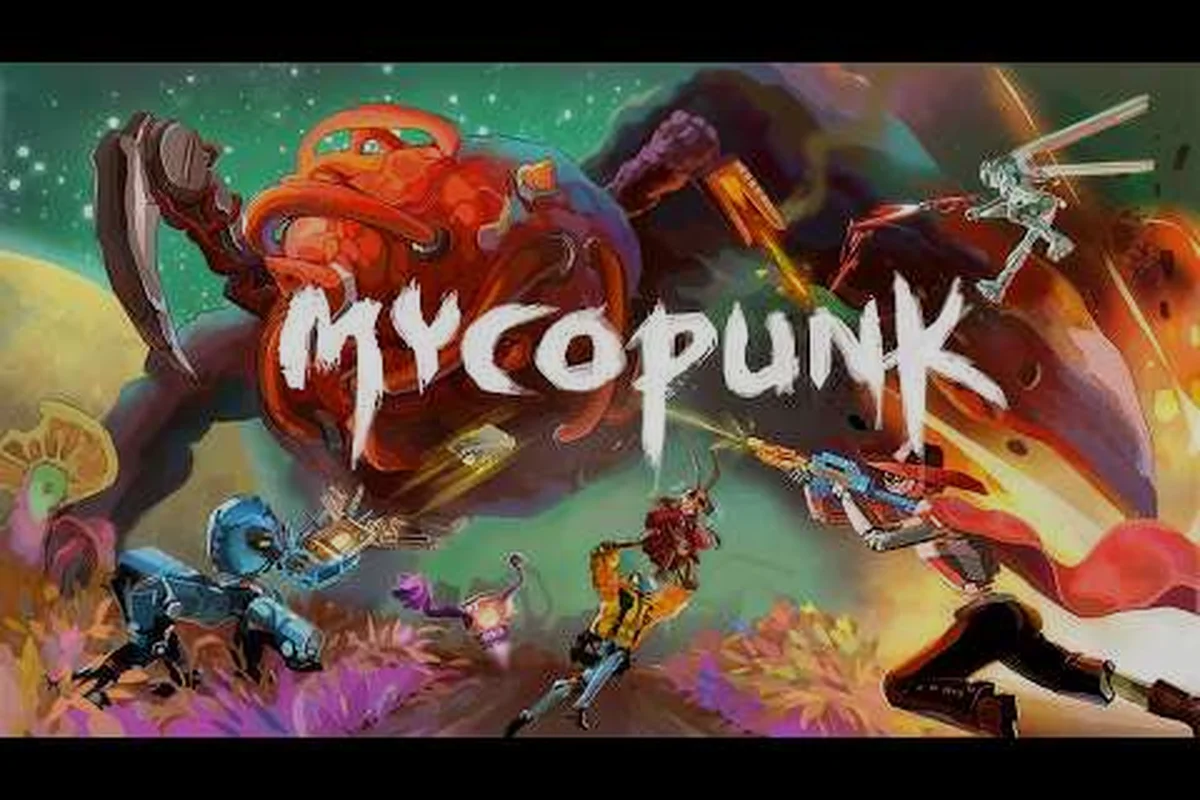
The first hour of a Mycopunk run decides whether the next ten feel like progress or chaos, so a clean Mycopunk tutorial saves more Antimass than any single weapon drop. This walkthrough starts inside the drop pod, moves through the first mission loop, and ends when you ping the first boss from across a map you have only seen in tooltips. Every step below uses the controls, regions, and systems the developer actually shipped in the 1.0 build, so the advice tracks the version the Steam page is selling right now. New players who follow this Mycopunk walkthrough in order will finish the first run with a working loadout, a basic understanding of the upgrade grid, and a clear next step instead of a pile of unread Codex entries.
Drop Pod Boot-Up: The First 60 Seconds of Every Mycopunk Tutorial
The Mycopunk tutorial really starts in the orbital drop pod, which doubles as the in-mission hub and the place where you choose your employee. Before touching the mission select board, lock in two settings that most first-timers miss: rebind interact to a comfortable key, and put the ping / marker (MMB) on a mouse button you can hit without leaving the aim stick. The defaults work, but muscle memory from other looter shooters makes the default interact key feel half a second late when a Missilehead locks on.
Pick your first employee based on how you want to die. Glider is forgiving because Rocket Salvo clears chokepoints without forcing a melee trade, and the Wingsuit lets you escape almost any bad pull. Bruiser is the opposite lesson: Shield Projector punishes you for standing still, so you learn spacing the hard way. For a first session, the official Mycopunk beginner guide recommends Glider because the kit's room-clear coverage hides sloppy aim, which is exactly the mistake this Mycopunk walkthrough wants you to outgrow before you touch harder regions.
| First-Run Setting | Default Value | Recommended Value | Why It Matters |
|---|---|---|---|
| Interact key | E | Mouse 4 or comfortable key | Faster revives, faster pod entry |
| Ping / marker binding | MMB | Comfortable mouse button | Faster target calls |
| Aim assist | On | On (PC controller) / Off (M+KB) | Personal preference, but be consistent |
| Field of view | 75 | 85–90 on M+KB | See flankers before they shoot |
Before the drop pod opens, take a slow lap around the bay. The HUB layout, reworked in 1.0, places the Pattern Infuser, the Lost Loot Terminal, and the Lottery Larry NPC along the same wall, so a single orbit teaches you the three systems that matter most for Mycopunk basics. The developer described the HUB rework in the launch patch notes as a way to "reduce downtime between runs," and it shows: the path from cargo screen to drop pod is now a straight line instead of a maze.
What the Drop Pod UI Actually Shows You
The cargo screen on the right side lists three things most players skim past on purpose: your currently equipped weapons, your active grenade, and the mission modifier card. The mission modifier card is the part that decides whether you can ignore elemental damage or stack cold resistance, so read it before the door opens. The 1.0 Known Issues list warns that two early Fulfillments tied to relay towers and Saxitos rescue bags were not progressing at launch, so do not chase those objectives first or you will burn an hour on a bug instead of learning the loop.
The second screen players usually miss is the Armament License panel, which unlocks as you complete missions. The license tracks weapon-level rewards at set milestones; the developer has confirmed the first major reward lands at weapon level 32, but the per-tier breakdown is not fully published. Treat the license as a passive meter that fills while you play, not a checklist to optimize against.
Leaving the Pod: Your First Mission in Five Steps
The first mission in any Mycopunk walkthrough is a low-threat Prized Possession or a Paid Time Off contract, because both use short maps and forgiving spawn rates. The 1.0 mission board sorts by threat level, and Threat 1–2 contracts are tuned to be solvable with whatever weapon the starter pod hands you. The goal of this Mycopunk tutorial is not to clear the mission fast; it is to clear it without learning three new systems at once.
| Step | Action | Mycopunk Basics You Practice |
|---|---|---|
| 1 | Read the mission modifier card | Learn what "Overclocked" or "Heavy Spawns" actually change |
| 2 | Pick one element for the run | Try cryo first; freeze stops Brutes in their tracks |
| 3 | Mark the cargo drop location | Ping it so your squad (or future you) can find it |
| 4 | Clear rooms in a Z-pattern | Cover flanks, never push straight down a corridor |
| 5 | Extract at 50% Saxonite | Greed is how most first runs end in a wipe |
The Z-pattern is a community-tested habit, not an official rule, but it lines up with how the rooms in Gravity Farm and Moldy Tundra are laid out. Push forward, sweep right, sweep left, then advance; this keeps one teammate on overwatch and prevents the classic "everyone tunnels the same chokepoint" mistake that turns a clean pull into a revive chain.
If you are playing solo, slow the Z-pattern down by a full second between sweeps. The 1.0 build added a tactical singleplayer pause, which the Mycopunk first hour guide explains in detail, and a single second of breathing room is enough to let a fast enemy reveal itself before you walk into its cone of fire.
How to Read the Mission Modifier Card
The modifier card sits on the left side of the mission select screen and lists one to three effects, depending on the region. The developer has not published a complete modifier list, but the ones confirmed in patch notes and the 1.0 Known Issues include Overclocked Enemies (higher health, modified parts), Heavy Spawns (more enemies per pull), and region-specific effects like the periodic electromagnetic storms on X11-B. Treat each modifier as a loadout constraint rather than a difficulty knob: an Overclocked modifier means you need sustained damage, while Heavy Spawns rewards crowd-clear weapons like the Swarm Launcher or the G6 Streetsweeper.
For a first run, accept any contract that does not list a modifier you have not seen before. The goal of this Mycopunk tutorial is repetition, so you want the same map and the same modifier twice in a row to learn how spawns shift between pulls. Threat level 1–3 contracts reset on a short timer, so two or three back-to-back runs is the fastest path to muscle memory.
The Upgrade Grid and Why the First Ten Slots Decide Everything
The upgrade grid is the most under-taught system in most Mycopunk walkthroughs, because it looks like a cosmetic menu until you realize the first ten nodes decide your damage curve for the next five levels. The grid uses a hex-pattern layout: each weapon has a fixed set of slots, and you slot upgrades from your inventory into those slots. Upgrades roll within a published stat range, so two copies of the same upgrade are rarely identical; the official Steam page calls this out as a core "build expression" system, not a linear upgrade path.
| Rarity Tier | Unlock Level | Typical Roll Range | When to Slot |
|---|---|---|---|
| Standard | 3 | Narrow | Slot immediately, replace later |
| Rare | 8 | Wider | Slot when current gear falls behind |
| Epic | 16 | Wide | Save for weapons you plan to main |
| Exotic+ | 30 | Widest | End-game chase, do not chase early |
| Contraband | Ouroboros only | Variable | Set-specific, not for first runs |
| Oddity | Ouroboros-common | Variable | Cheap filler, slot freely |
The numbers above are confirmed in the 1.0 build: Standard rolls unlock at level 3, Rare at 8, Epic at 16, and Exotic+ at 30. The Contraband and Oddity tiers are Ouroboros-mode drops, which the developer describes in the official patch notes as a separate economy from the main Antimass loop, so first-run players should not chase them.
The single biggest Mycopunk basics mistake is treating the grid like a skill tree. It is not. You can reslot for free at the HUB Pattern Infuser, and there is no permanent point commitment, so the correct habit is to slot the highest-rarity upgrade you have, then forget about it until you find a better roll. The same weapon can swing 15–20% damage just from a single upgraded slot, so chasing the perfect roll is a trap that burns the first ten hours.
Cleanse, Favorite Slots, and Turbocharge in Plain English
The grid has three knobs that look identical but do very different things. Cleanse rerolls a stat within its published range without changing the upgrade itself, which is the cheap option when you got four out of five good rolls. Favorite Slots lock a slot so future rolls cannot place a low-stat upgrade there, which is how you protect your best weapon from a bad drop. Turbocharge spends Strange Components to push a roll toward the ceiling of its range, but the developer has not published the exact math, so treat it as an end-game tool, not a first-week habit.
A practical Mycopunk walkthrough uses the three knobs in order. First, slot your best upgrade. Second, run Cleanse once if any stat is dramatically below the others. Third, lock the slot you care about most with a Favorite. Save Turbocharge for the moment you know the weapon is part of your long-term kit, which usually means at least one full weapon level of playtime.
First Boss Loop: How to Read the Pull Before You Commit
The first boss you meet depends on region rotation, but the encounter design follows a consistent loop: a phase-1 add wave, a phase-2 vulnerable window, and a phase-3 enrage. The developer has not published a complete boss list, but the named enemies in official material — Missilehead, Abomination, Abomination Lacerator, and Devastator — share this pattern, so the same Mycopunk tips apply across all of them. The Mycopunk status effects guide covers how elemental damage interacts with each phase, which is the most overlooked layer of the boss fight.
| Phase | What Happens | What You Should Do | Common Mistake |
|---|---|---|---|
| 1 | Add wave, boss invulnerable | Clear adds first, save grenades for phase 2 | Burning cooldowns on the boss |
| 2 | Vulnerable window opens | Stack elemental status, unload high-damage weapon | Missing the timer on the vulnerability |
| 3 | Enrage, higher damage, faster spawns | Burn remaining cooldowns, focus survival | Greeding for the kill instead of extracting |
A useful Mycopunk tutorial habit is to ping the boss's weak point at the start of phase 2, because the audio cue for the vulnerability is easy to miss under fire. The lock-on audio cue is one of the few systems the developer has explicitly tuned for accessibility, so do not feel bad for relying on it; veteran players still use it on Abomination Lacerator pulls.
For the very first boss attempt, take a squad of two instead of solo, because the death protection timer gives you a real second chance to learn the phase transitions. The official multiplayer guides (linked from the Mycopunk invite friends page) explain how to set up a private lobby in 1.0, which is the cleanest way to learn the boss loop without randoms rushing the pull.
Reading Detached Enemy Parts and Overclocked Modifiers
The 1.0 update added a layer of micro-reading to boss fights: when an Overclocked modifier is active, parts of the enemy can detach and become separate targets. The community has nicknamed these "detached parts," and the developer describes them in the 1.0 patch notes as a new layer of tactical decision-making rather than a difficulty spike. The most common detached parts are weapon arms on Brutes and shield plates on Devastators, and the safe habit is to clear them only when they block line of sight to the boss, because chasing them across the arena is how phase 2 windows get missed.
A focused Mycopunk walkthrough treats detached parts as priority targets only when the mission modifier specifically buffs them. Otherwise, ignore them and burst the boss during the vulnerability window; the kill timer matters more than the cleanup.
Putting the Loop Together: A Practical First-Day Routine
The first day of a Mycopunk run is not about speed; it is about repeating the same loop until the controls feel like reflexes. A clean routine is: HUB loadout check, low-threat contract, two mid-threat contracts, one boss-tier contract if a squad is available. The developer has confirmed that Antimass drops scale with threat level, so the advanced routine in the pro guide is built around chaining Threat 4–5 contracts back-to-back, but that only works once the basics are muscle memory.
| Time Block | Mission Type | Goal | Reward Target |
|---|---|---|---|
| 0–20 min | Prized Possession, Threat 1 | Learn controls, slot Standard upgrades | Saxonite, Codex entries |
| 20–50 min | Paid Time Off, Threat 2–3 | Practice Z-pattern, learn one element | Rare upgrade drop chance |
| 50–80 min | Incursion (unlocks at level 13), Threat 3–4 | Learn Antimass loop, slot Rare upgrades | Antimass Substrate |
| 80+ min | Boss contract, Threat 4+ | Practice phase transitions, burn cooldowns | Exotic drop chance |
A routine like this is what separates players who finish the first week with a working build from players who finish it with a pile of half-read tooltips. The Mycopunk basics that actually matter are the ones you repeat until they stop being decisions: when to slot, when to cleanse, when to extract, and when to push the boss.
The single biggest habit this Mycopunk tutorial can teach is to extract at 50% Saxonite on the first three runs. Greed is the most common cause of first-day wipes, and the developer has confirmed Saxonite drops at roughly 60% on Threat 7 contracts, so saving the run is always worth more than the marginal extraction bonus. Treat every early run as practice, not progress, and the actual progress arrives much faster because the muscle memory is already there when the harder contracts unlock.
Mycopunk Walkthrough: Common First-Run Mistakes to Avoid
Five mistakes show up in almost every first run, and skipping them is the difference between a clean first session and a frustrated one. The first is ignoring the mission modifier card; the second is chasing detached parts instead of the boss; the third is slotting Contraband or Oddity upgrades from Ouroboros into a starter weapon, which the developer has confirmed is a separate economy; the fourth is playing solo on a boss contract without understanding the death protection timer; and the fifth is leaving the HUB without checking the Lost Loot Terminal, which holds unclaimed rewards from disconnected runs.
Avoid those five, and the rest of the Mycopunk walkthrough is just repetition. The systems are not deep on day one; they get deep later, which is exactly when the routine pays off.
Frequently Asked Questions
What is the best employee for a first Mycopunk run?
Glider is the most forgiving starter because Rocket Salvo clears chokepoints and the Wingsuit lets you escape bad pulls, which matters when you are still learning spawn patterns. Bruiser and Wrangler are stronger in coordinated squads but punish positioning mistakes harder. Unlock Mycologist later via the Expedition Alpha rescue mission, since her full upgrade tree is not fully published and her kit rewards players who already understand elemental rotations.
How do I unlock the Diffraction Driver in Mycopunk?
The Diffraction Driver is the 1.0 ion scattergun, and it unlocks after reaching player level 10. It fires a short-range cone by default; holding alt-fire spins up its halo to tighten the cone and extend range, according to the developer's 1.0 patch notes. Its specific upgrade names have not been published, so do not chase a build guide for it until the developer fills in the tree.
What is the fastest way to earn Antimass in Mycopunk?
Antimass drops scale with mission threat and mission type. The Incursion mission type, which unlocks at player level 13, is the most reliable Antimass source per minute in the 1.0 build, with Escalation contracts as a backup for longer sessions. Spend Antimass at the Pattern Infuser in the HUB; the developer has not published exact drop-rate math, so treat the Infuser as a steady trickle rather than a lottery.
Does Mycopunk have a battle pass or PvP mode?
No. Mycopunk has no battle pass, no PvP mode, and no codes or redemption system at launch. Progression is driven entirely by missions, the Armament License, and the Fulfillments cosmetic system added in 1.0. The Fulfillment list has not been fully published, so treat it as a passive reward layer rather than a checklist to optimize.
Where do I find the Lost Loot Terminal in the HUB?
The Lost Loot Terminal sits along the same wall as the Pattern Infuser and the Lottery Larry NPC in the reworked 1.0 HUB. Check it after every disconnected run, because it holds unclaimed rewards and Saxonite from the previous session. The terminal does not cost anything to open, and the rewards are time-stamped, so a missed afternoon run is rarely a total loss.